
See ShootCal in action
A photography calendar that handles golden-hour timing, clients, booking, and contracts, native on Mac, iPhone, and the web.
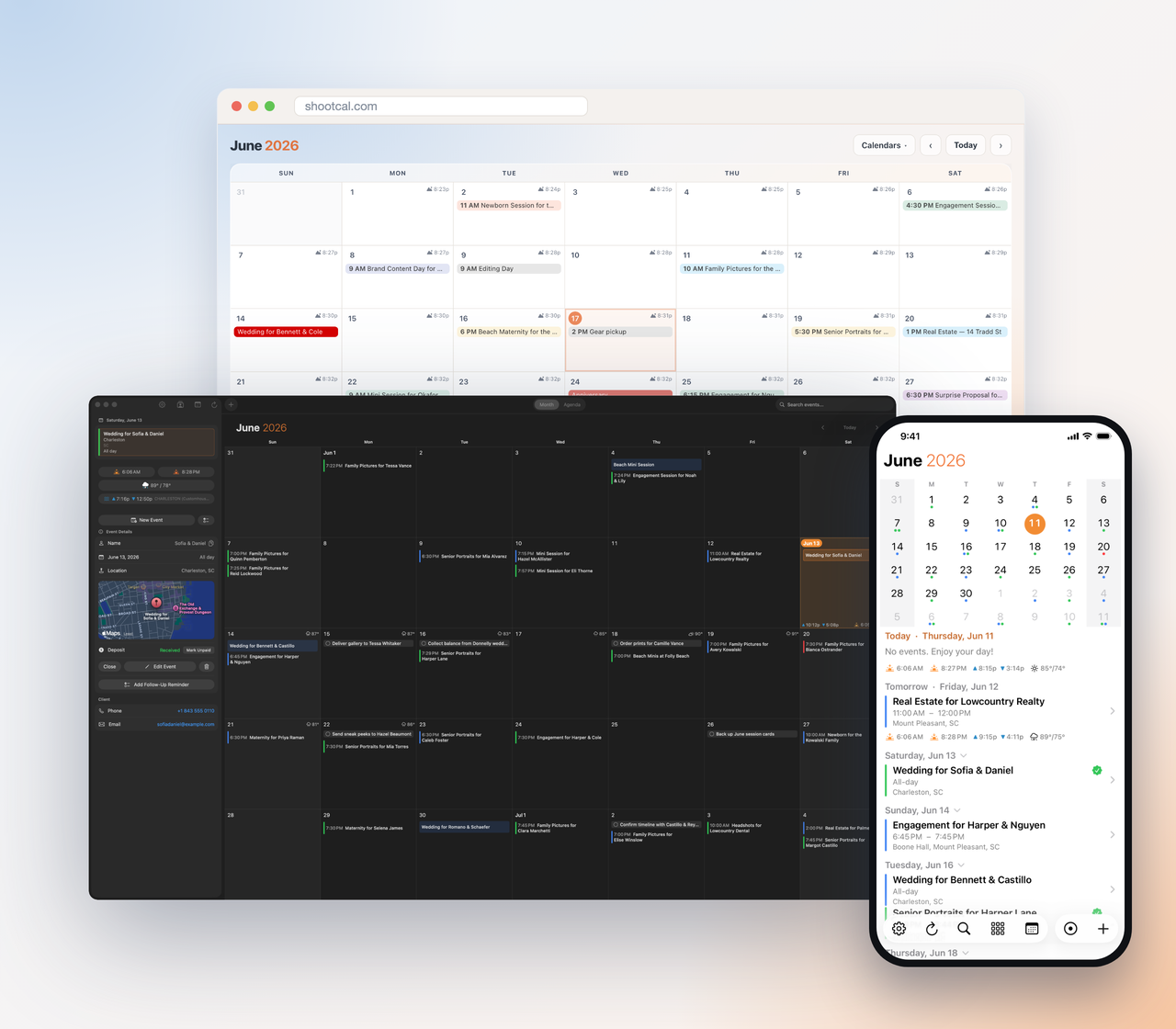
Your calendar, on every device
A real native app on Mac and iPhone, plus a full web app, all in sync on top of the Google Calendar you already use. Month grid, agenda, weather and sun detail, color-coded deposits. Nothing new to learn and nothing to migrate.
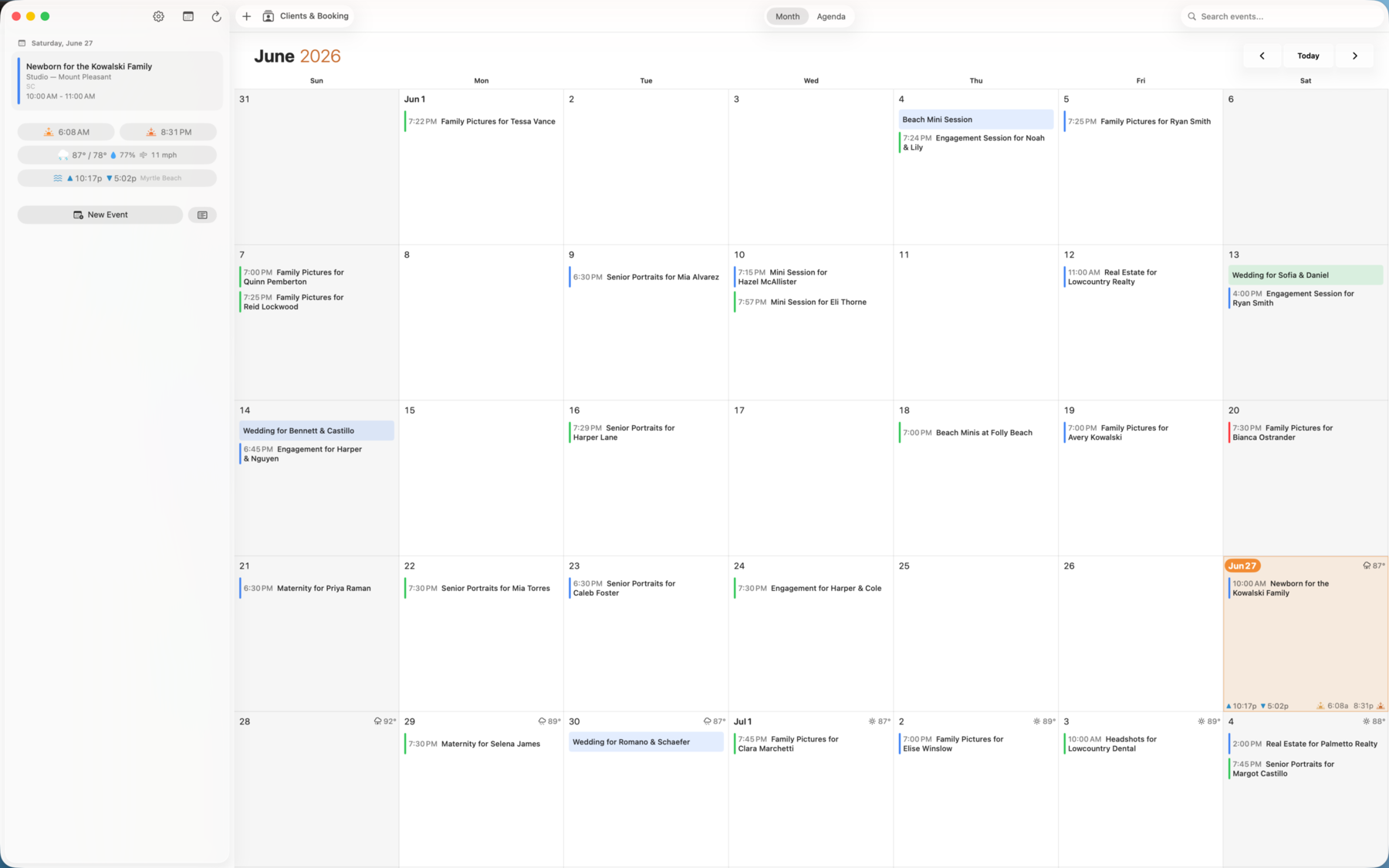
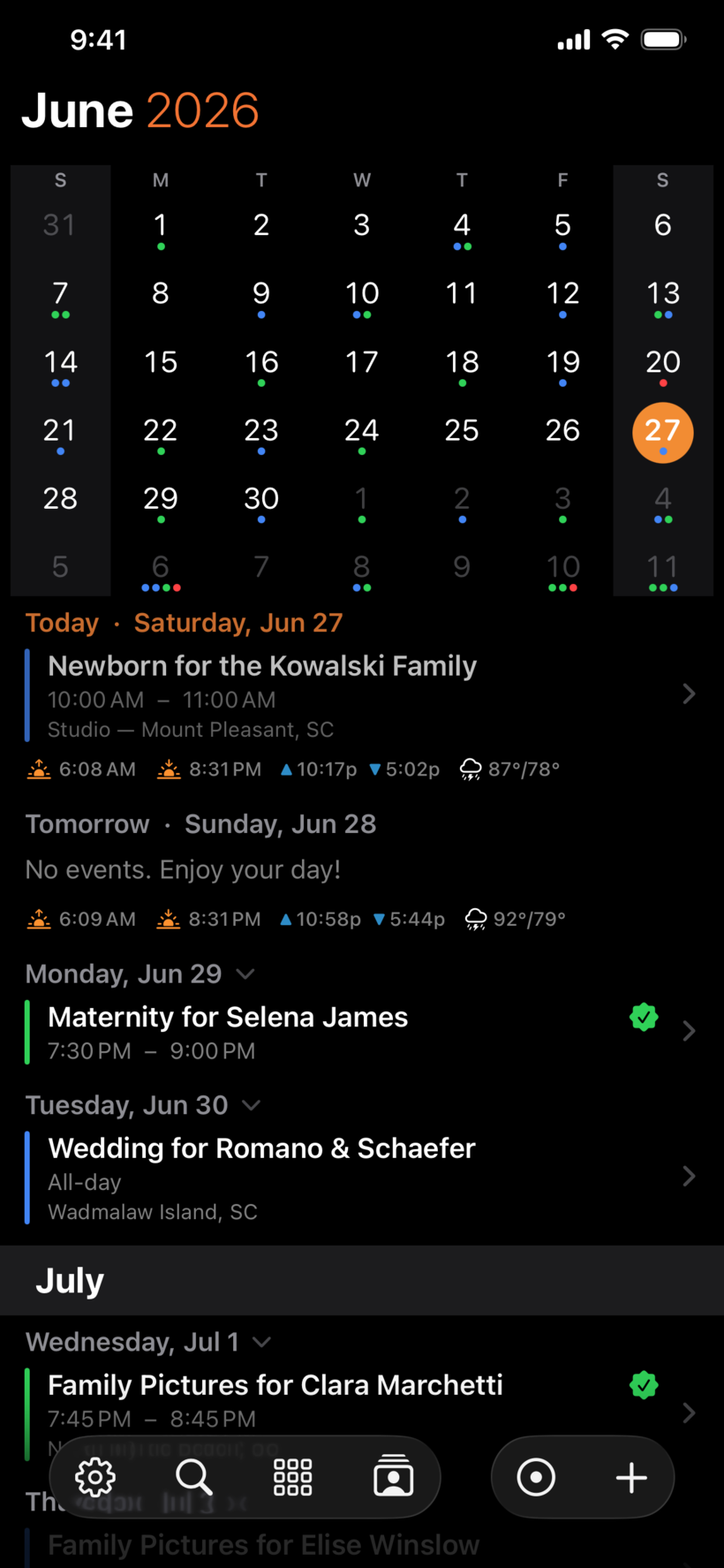
Golden hour, built into every day
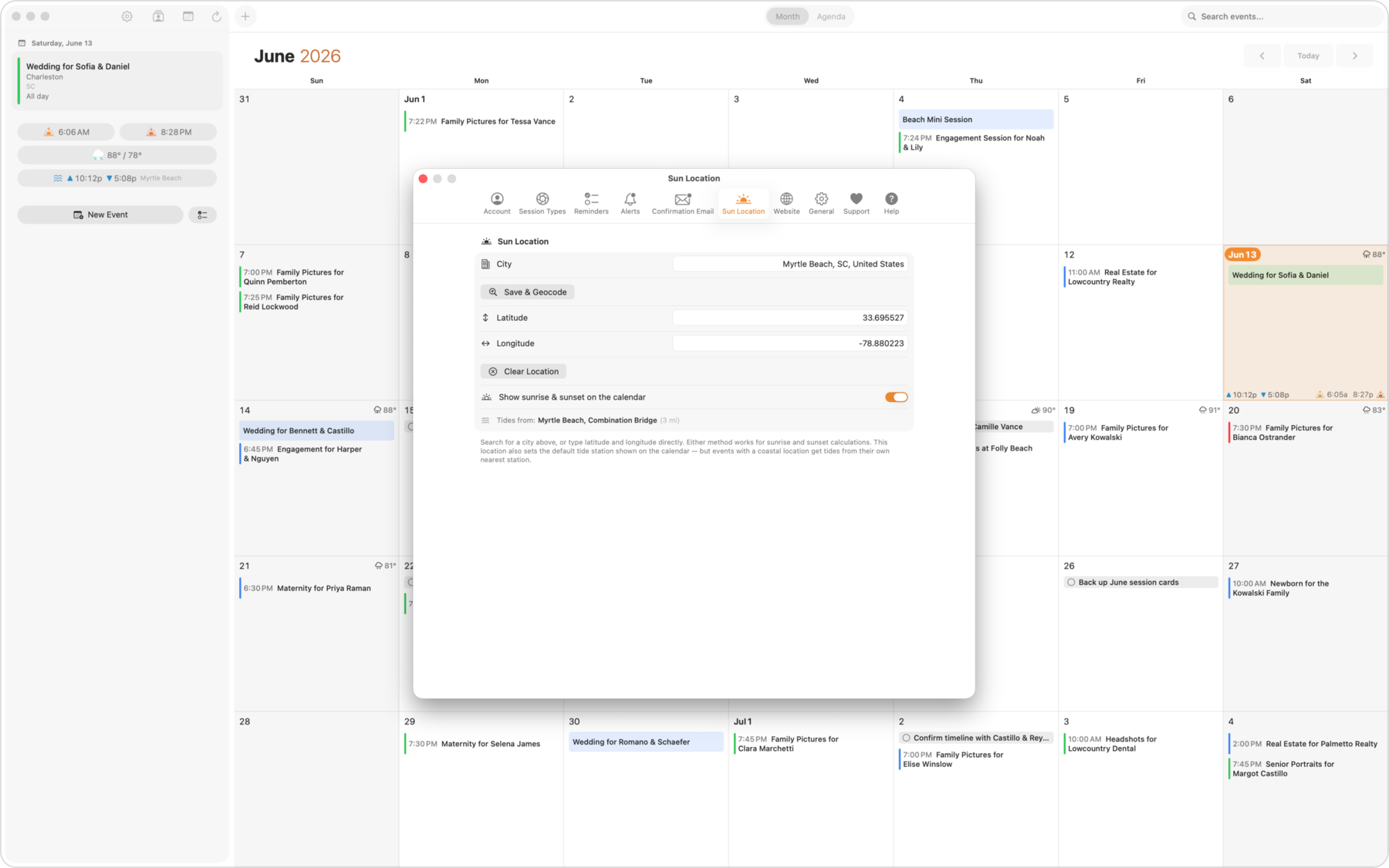
ShootCal knows the sunrise and sunset for your location and shows them right on the calendar. New sessions anchor to golden hour automatically, so you spend less time doing math and more time shooting. Tide times come along too, handy for beach and coastal work.
Every client, organized
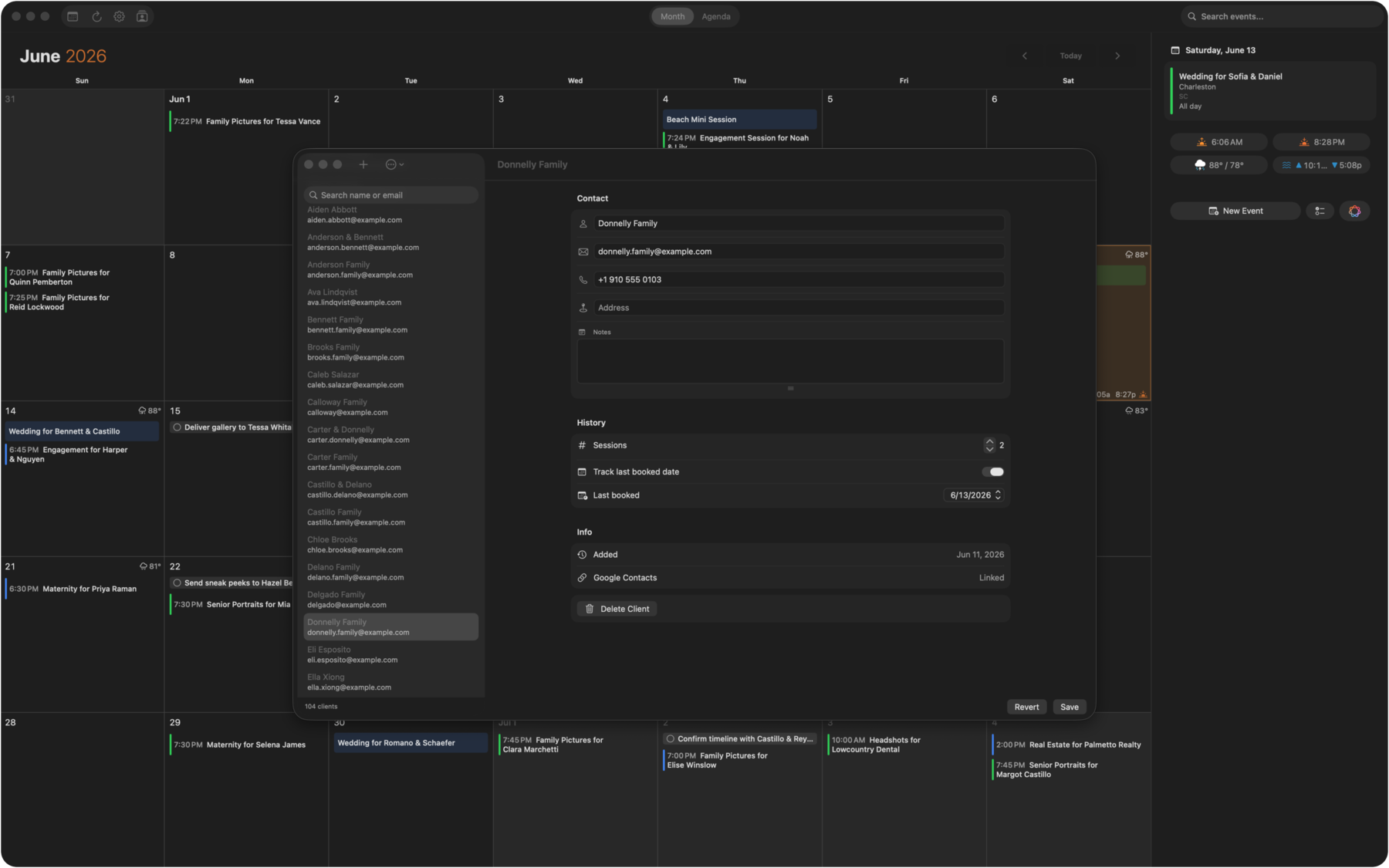
Keep contacts, session history, and last-booked dates in one place, linked to your Google Contacts. See who is booked, who is due for a follow-up, and how many sessions each client has had.
Contracts your clients sign in a tap
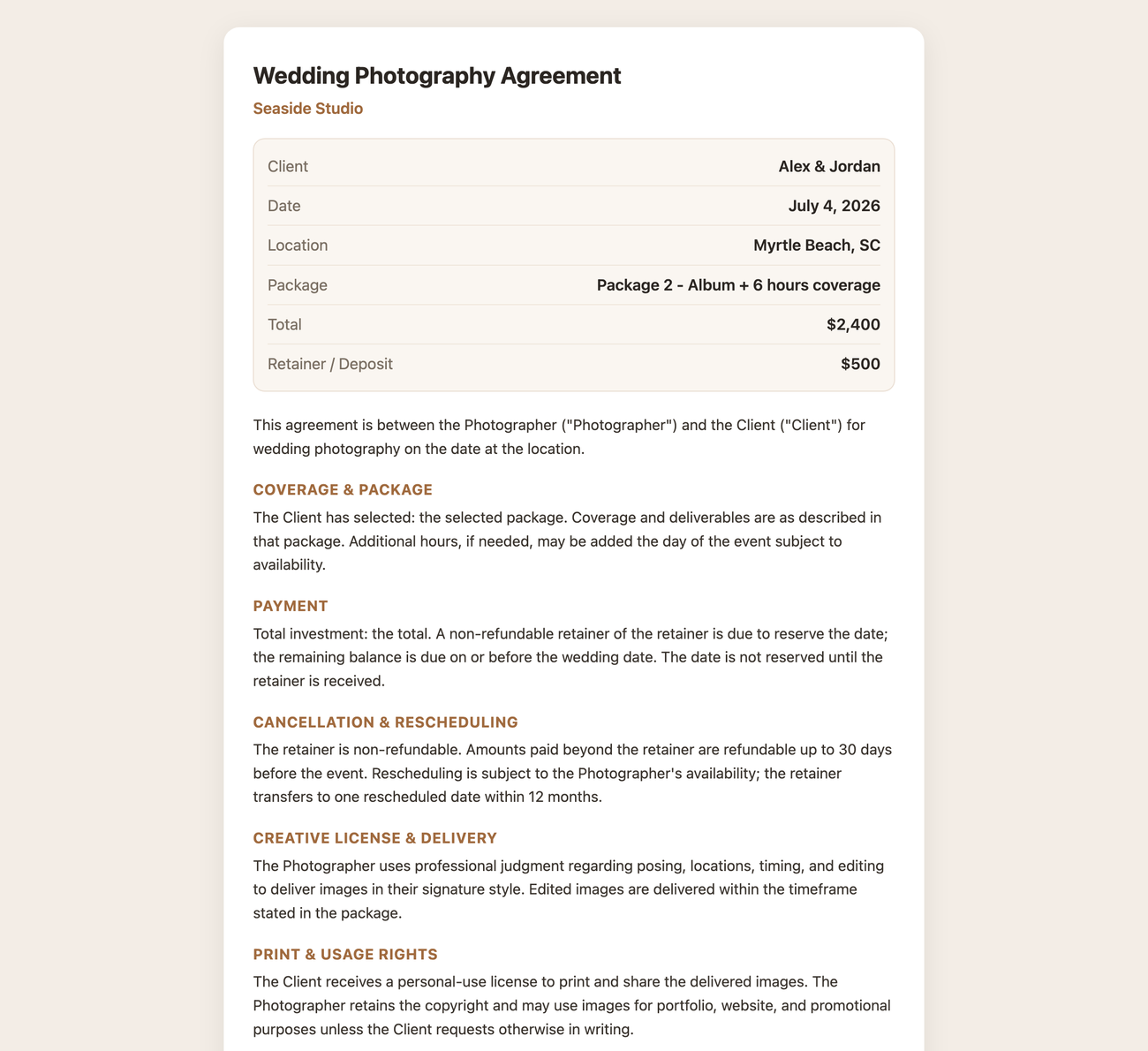
Send a clean, professional agreement with the package, total, and retainer already filled in. Your client reviews and signs online, and you can see the moment it is done. No printing, scanning, or chasing paperwork.
Let clients book your open days
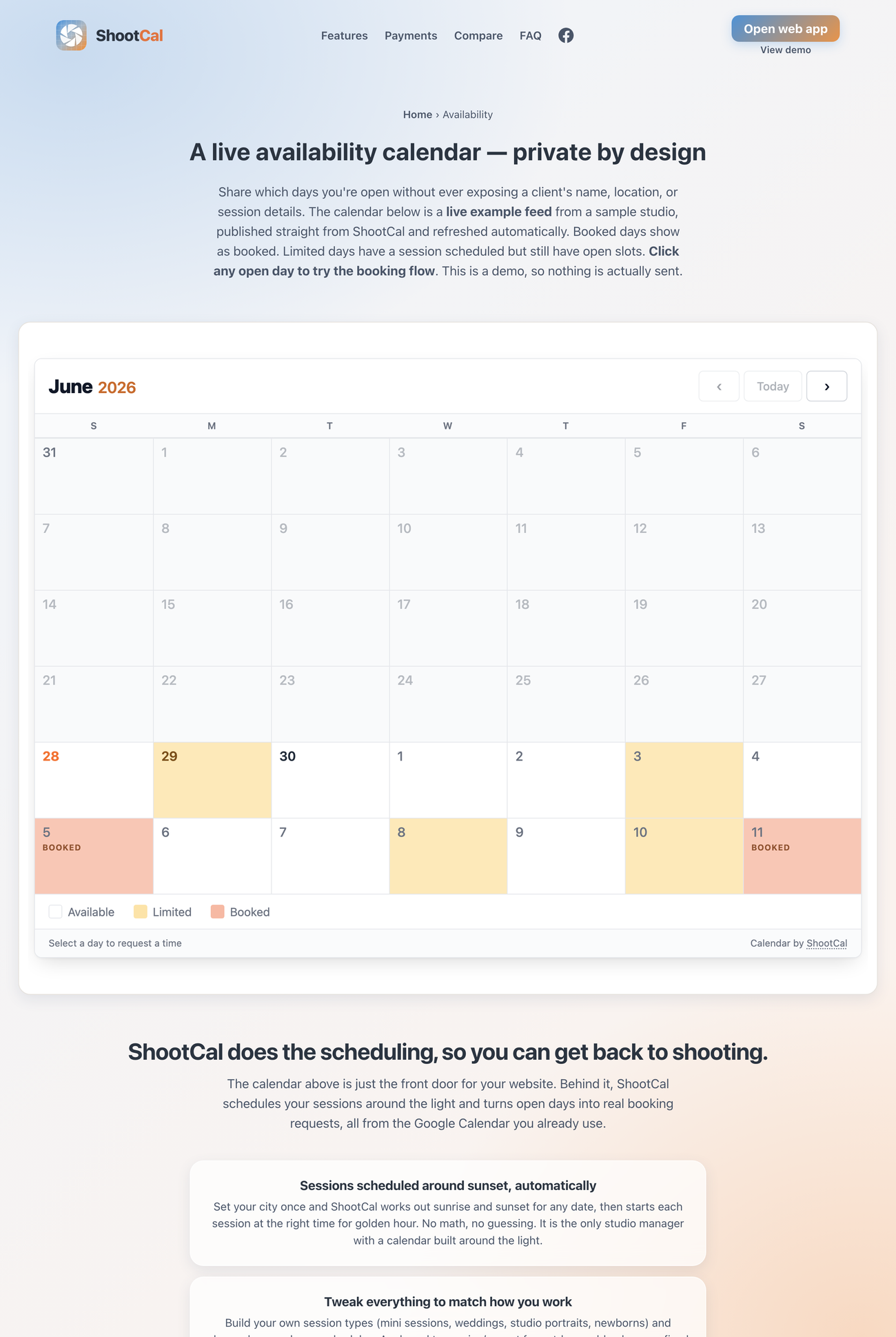
Share a live availability calendar that shows when you are free without exposing a single client’s name or location. Booked days show as taken, open days invite a request, and every request lands in your inbox to accept with one tap.
Session types that schedule themselves
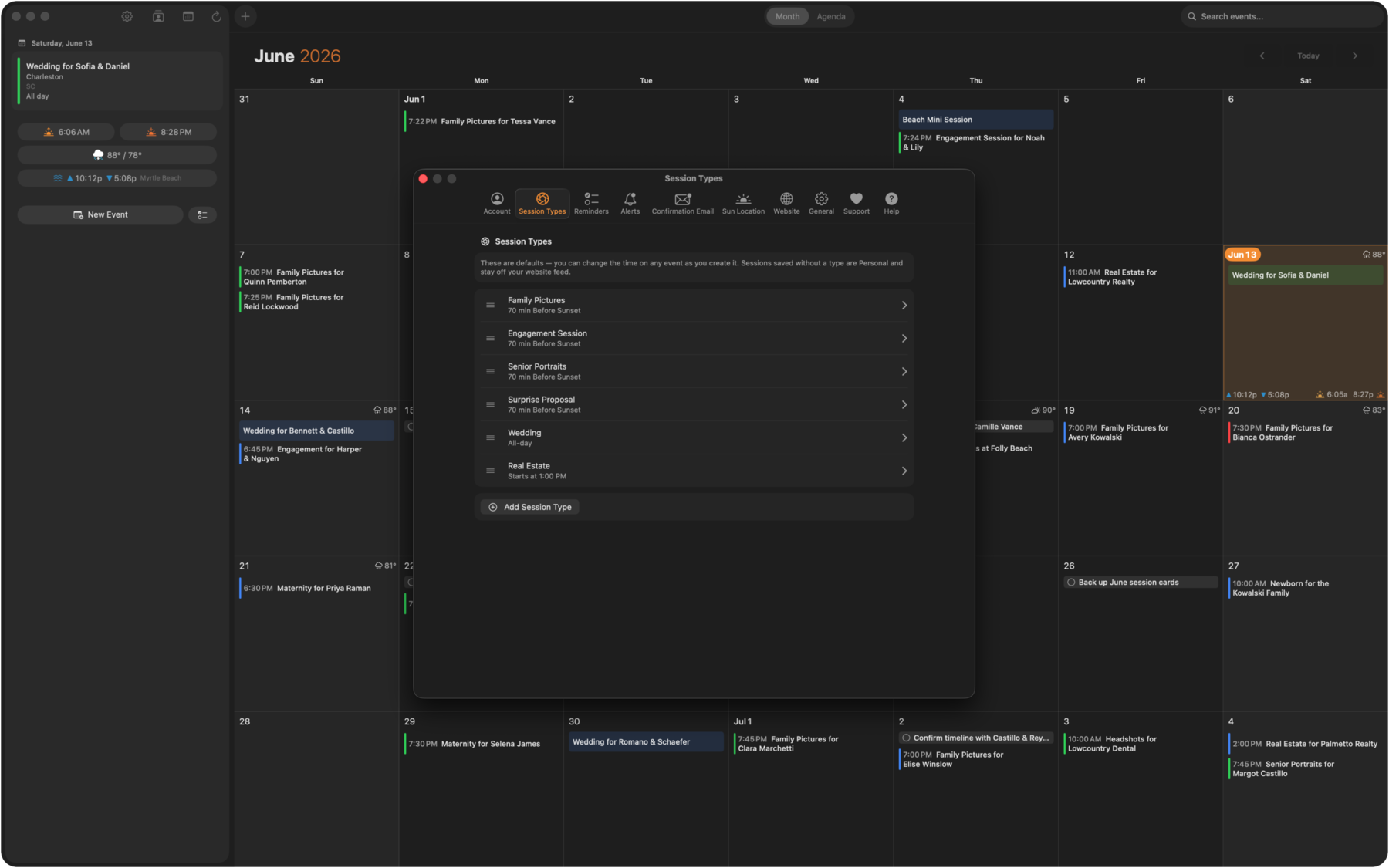
Set up your shoot types once, each with its own length, pricing, and scheduling rule. Golden-hour sessions cascade around sunset, studio sessions follow your studio hours, and per-day limits keep you from overbooking.
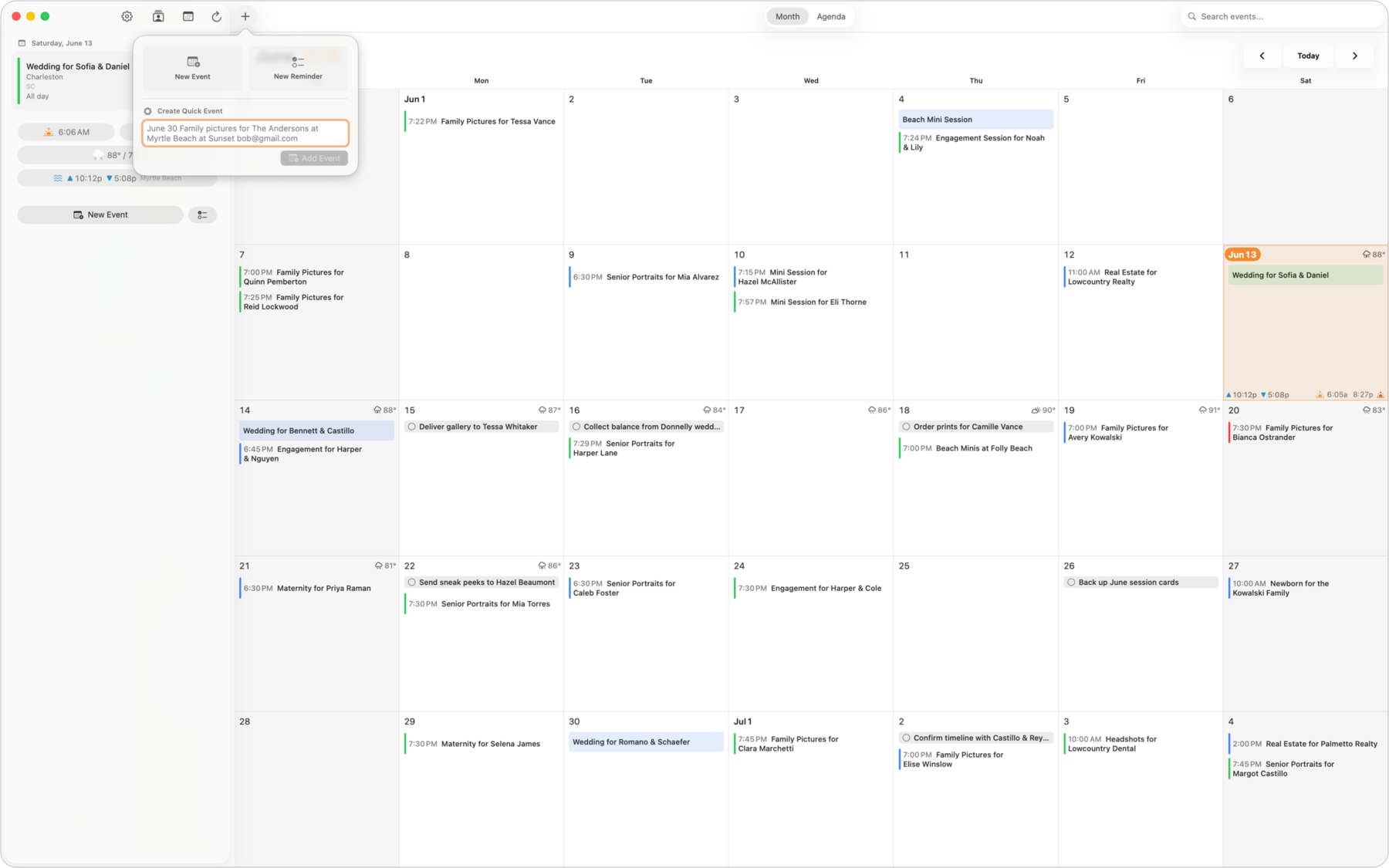
Add a session by just typing it
Type “Family shoot for the Andersons at Folly Beach Saturday at sunset” and ShootCal fills in the date, time, location, and client for you. On iPhone it uses on-device parsing, so it is instant.
Deposits that mark themselves received
Connect your accounting in Settings (Wave or QuickBooks Online) and a paid invoice automatically marks that booking’s deposit as received, right on the booking. Keep invoicing where you already do it, with no double entry. ShootCal only reads from your accounting tool, never writes to it, and by default only deposit-paid days show as booked on your availability calendar (you can switch to counting every event).
Deliver every shoot in a gallery clients love
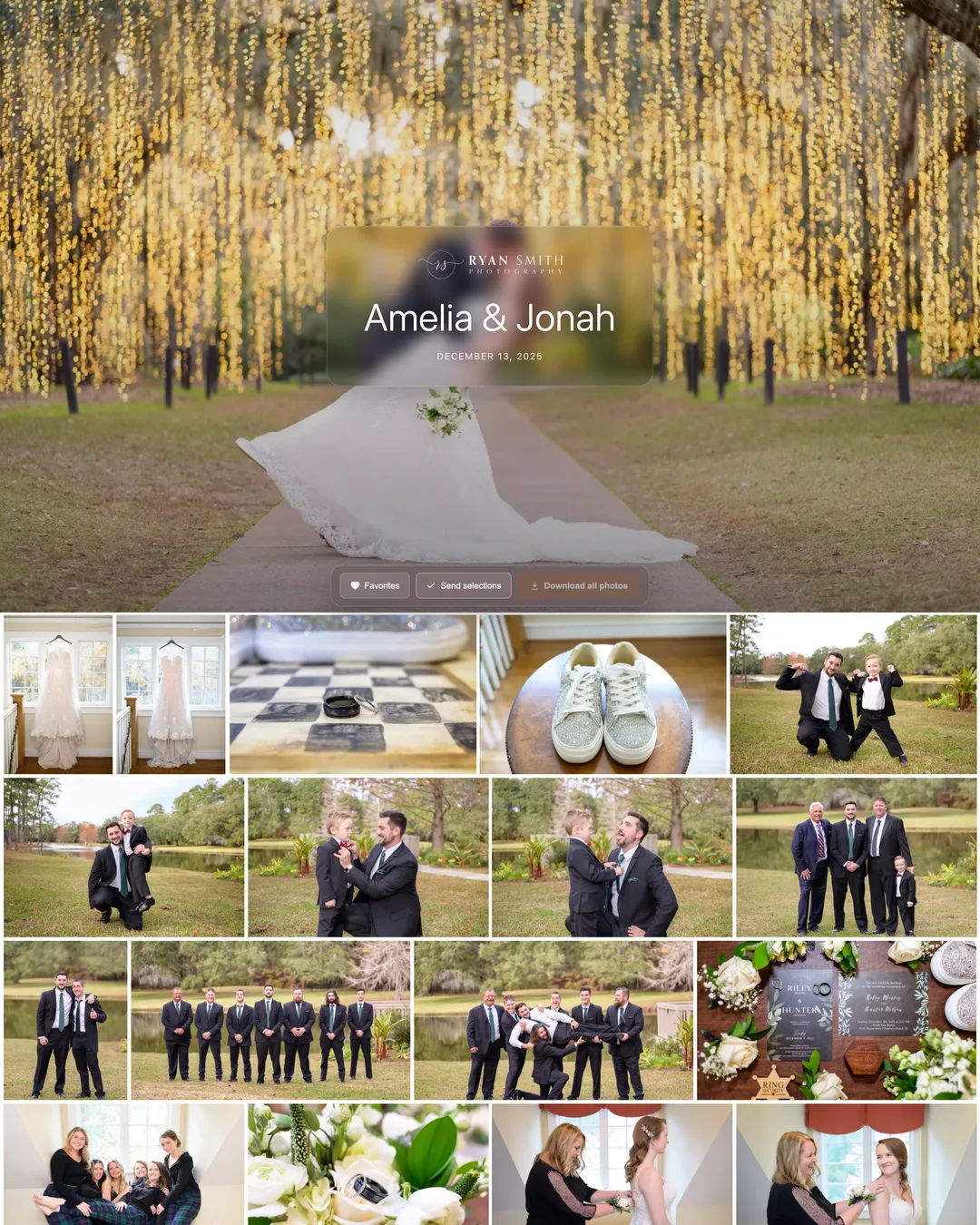
When the shoot is done, hand it off with ShootCal Galleries: a beautiful branded gallery with a full-screen cover, full-resolution downloads, and favorites your clients tap to mark the photos they love. A built-in print store is launching soon: clients will order prints, canvas, metal, acrylic, and framed wall art from a pro lab at your own pricing, paid straight into your own Stripe account with 0% commission on paid plans. Password protection and custom domains are there when you want them. And because scheduling and galleries share one client list, a booking can create the client’s gallery on the spot — named after them, dated to the session, ready for the Lightroom publish.
Ready to get your shoots organized?
Free while in beta, no subscriptions, and your calendar stays yours.
Or try a live demo with sample data →
Have an idea or found a bug? Join the ShootCal community on Facebook to discuss ideas and report issues.